Dear HarmonySite administrator,
Today we release a new feature called "Privacy Profiles" - giving you (and optionally your members) fine control over which member personal/contact details are visible to (a) other members, or (b) the public.
We have received many requests over the years asking if there was some way for members to be able to hide their email address, or phone numbers, or home address, etc from other members. Some people wanted ALL details hidden, others only wanted SOME details hidden. And often it was only SOME members that wanted their details hidden, while others were happy to have all details shown to other members. This new feature allows you to tailor member privacy however you want it.
There are three main ways this can be set up in your HarmonySite...
- All members in your system have the same privacy profile, which you (as admin) define. This is the default, and is what your HarmonySite is currently using.
- You (as admin) can create several privacy profiles, each with different settings, and allow you members to choose which one they want for themselves. If they don't choose one, they use the default privacy profile (again, defined by you)
- Any member can create/define their own privacy profile. If they don't bother doing so, they use the default privacy profile.
To start you off, we have made the new privacy settings in your HarmonySite as close as possible to what they used to be, based on your existing privacy settings (which no longer exist). We have created FOUR privacy profiles for you to choose from (or possibly allow your members to choose from)...
- Profile built from previous privacy settings
This profile was created automatically from the privacy settings that this website had before the introduction of privacy profiles. This is the one now in use in your HarmonySite. - Reasonably open profile
Member details are visible to other members, but generally not visible to the public. Member photos and bios are visible to the public. - Reasonably open profile, birth years hidden
Same as (2), but member's birth YEARS are hidden - so members can know the birth-DAY and MONTH of other members, but not their birth-YEAR, so their age is not known to other members. - Very private profile
All member personal and contact details are hidden from other members and from the public, except photos, bios and occupations, which are visible to members.
All profiles can be adjusted to suit the needs of your group, and you (as admin) can nominate which of these profiles are used by all your members.
OR you can allow your members to create their own.
To get started, look on your Admin Dashboard, on the "Members" line, for the new link called "Member Privacy Profiles"...
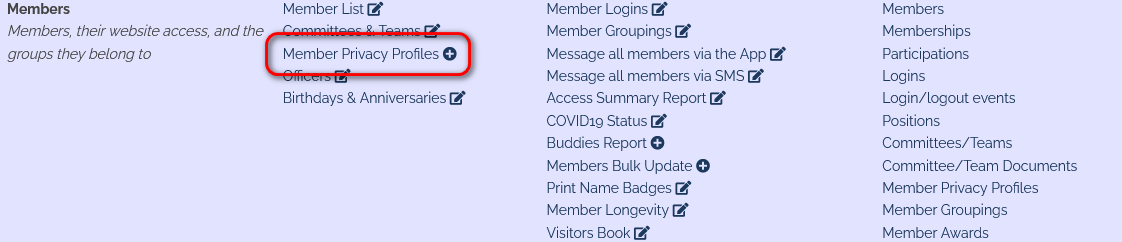
As admin, you will see a screen like this...
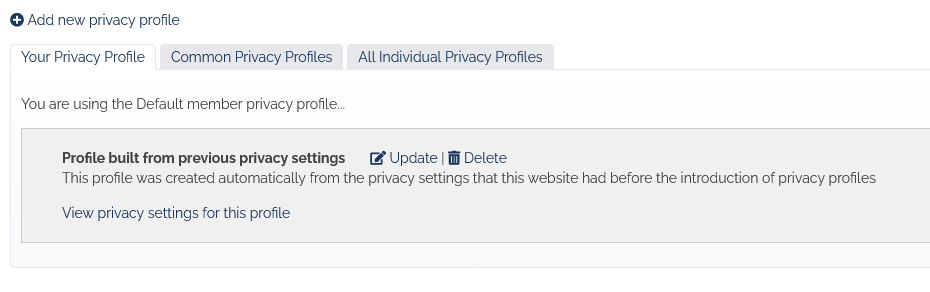
Click the tab called "Common Privacy Profiles" to...
- See all the four profiles listed above
- Change which profile is the default
- Choose what sort of control members have over their privacy
Regular (non-admin) members will see a much simpler screen. What they see depends on what you have chosen.
And regular members can (depending on the settings you have chosen) access their privacy profile directly from their member profile page...
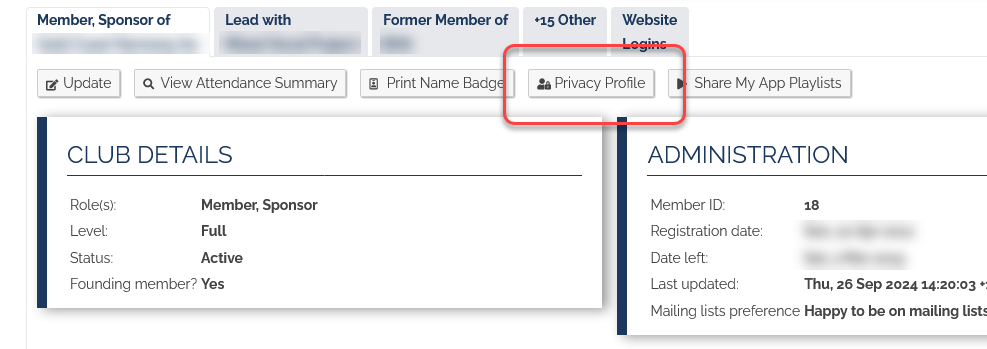
Editing a Privacy Profile
Each privacy profile contains MANY settings - one for each piece of information we store about each member...
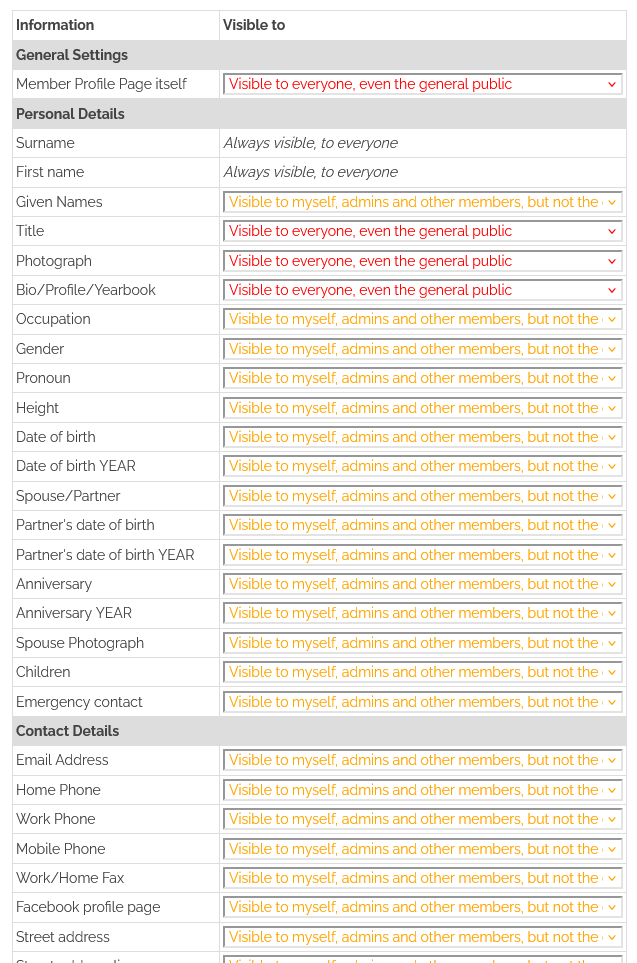
...and many more.
Each item has three options...
- Not visible to anyone except admins and myself (most private)
- Visible to myself, admins and other members, but not the general public
- Visible to everyone, even the general public (least private)
The idea is that you select one of these options for EVERY piece of information stored about a member.
The FIRST item is called "Member Profile Page itself". This is a special one, which governs whether a member's profile page can even be viewed. If it CAN'T be viewed, then clicking on a link that represents a member's name, on some page will simply show an error message.
Notes
- If you nominate that member profile PAGES can't be seen, you will still need to adjust all the other settings as well, just in case there are pages in the system where members are listed, such as...
- The Member List page
- The Officers (leadership) page
- The Birthday calendar
- Member first names and last names are not selectable, meaning it's not possible to hide member NAMES. This is not really a privacy concern...
- If you have members that don't even want their names visible to the public, then you need to look at which public-facing pages contain lists of member names, and perhaps hide those PAGES. Without any public-facing pages that list member names, the names of all members are effectively hidden from the public.
- It's not really sensible to try to hide member NAMES from other members.
- It is possible to make birthdays visible to other members, but (on the next line down) specify that birth YEARS are not visible. Ditto for anniversaries and spouse birthdays.
- It is not possible to hide member details from admins (specifically anyone with admin privileges over the member database).
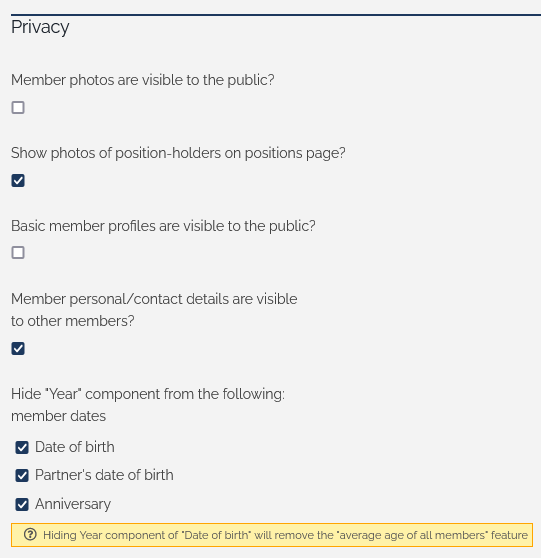
- The following privacy options are no longer available in your HarmonySite configuration. All options below have been superseded by this new system...
As usual, please contact support@harmonysite.com if you have any questions about, or issues with this new system.
In harmony,
Mark Virtue
HarmonySite
Australia
+61 2 8005 4277 (Australian number)
In North America, call: 1-415-651-7009 (San Francisco number)
Skype name: mvirtue